In Live Mode, select the target Sim, open the console, enter testingcheats true, then enter sims.give_satisfaction_points 5000. Replace 5000 with the amount to add. Close the console and open the Rewards Store to verify the balance. This adds satisfaction points; it does not add household money, complete an aspiration automatically, or grant a reward trait by itself.
Sims 4 satisfaction points cheat commands
Use one row at a time. The first line enables the testing layer; the second line changes the selected Sim’s satisfaction-point balance. The milestone row is included because it appears in community cheat references, but it should be tested cautiously: completing a milestone can affect a story state in ways that simply adding points does not.
The number in sims.give_satisfaction_points is an amount to add. It is not a final balance field, and it is not a promise that a reward purchase will be available if a pack, age group, or trait requirement is missing. Keep the number visible while you test so an unexpected result is easy to undo with a backup save.
| Goal | Command | Scope | Check before saving |
|---|---|---|---|
| Enable the testing layer | testingcheats true | Current game session | Submit this on its own line before the result command. |
| Add satisfaction points | sims.give_satisfaction_points 5000 | Selected Sim | Replace 5000 with the amount to add; verify the selected Sim first. |
| Add a small test amount | sims.give_satisfaction_points 500 | Selected Sim | Useful when diagnosing the target or a mod conflict. |
| Complete the current milestone | aspirations.complete_current_milestone | Selected Sim | Community-reported progression command; test in a copied save and do not confuse it with points. |
What satisfaction points change
Satisfaction points are attached to a Sim and are commonly used in the Rewards Store. They let a player buy reward traits and reward potions when the active Sim meets the store item’s requirements. They are not household funds, so motherlode and sims.modify_funds do not replace the satisfaction-points command. Keeping those currencies separate prevents a correct command from looking broken simply because the wrong panel was opened.
The amount is additive. If a Sim has 2,400 points and you run sims.give_satisfaction_points 500, the expected intent is to add 500 to that Sim’s balance. The command does not ask for a new total. Use a smaller amount when you are learning the syntax, then open the Rewards Store and check the balance before running another line. If the number looks unchanged, confirm the active Sim and the panel before repeating the command.
Age, pack, trait, and reward requirements still matter. Adding points does not unlock every reward item, remove a negative trait, or turn an aspiration into a completed story. The points command is best treated as a currency adjustment. The page’s aspiration directory is useful for choosing a goal, while the Rewards Store decides what the current Sim can buy.
Choosing a value without losing the plot
A 500-point test is enough to confirm that the command reaches the intended Sim. Use 1,000 when you need a modest reward purchase, 5,000 for a short setup session, and a larger amount only when you intentionally want to skip a long reward grind. These are practical test ranges, not official game limits or recommended final balances.
Avoid stacking several large commands while a household is open. If the wrong Sim receives the points, the game may not provide a simple undo button. A copied save is safer than trying to subtract an uncertain amount later. On PlayStation and Xbox, enabling cheats can affect trophies or achievements for the current save, so a separate test save is a sensible boundary.
If you want to change the current aspiration story, decide whether you need points or a milestone. Points help with store purchases. A milestone command changes progression and can award an aspiration reward through normal game logic. They answer different needs, so choose one goal and verify it before moving to the next.
How to use the Sims 4 satisfaction points cheat
The console shortcut only opens the input bar. The testing command enables the layer used by many cheats, and the points command is the actual result. Keeping those stages separate makes it easier to tell whether a failure came from the platform shortcut, the selected Sim, the syntax, or the save context.
Use Live Mode for the first test. A household and an active Sim give the command a clear target. Do not diagnose a missing balance from the main menu, Manage Worlds, or an unrelated household panel.
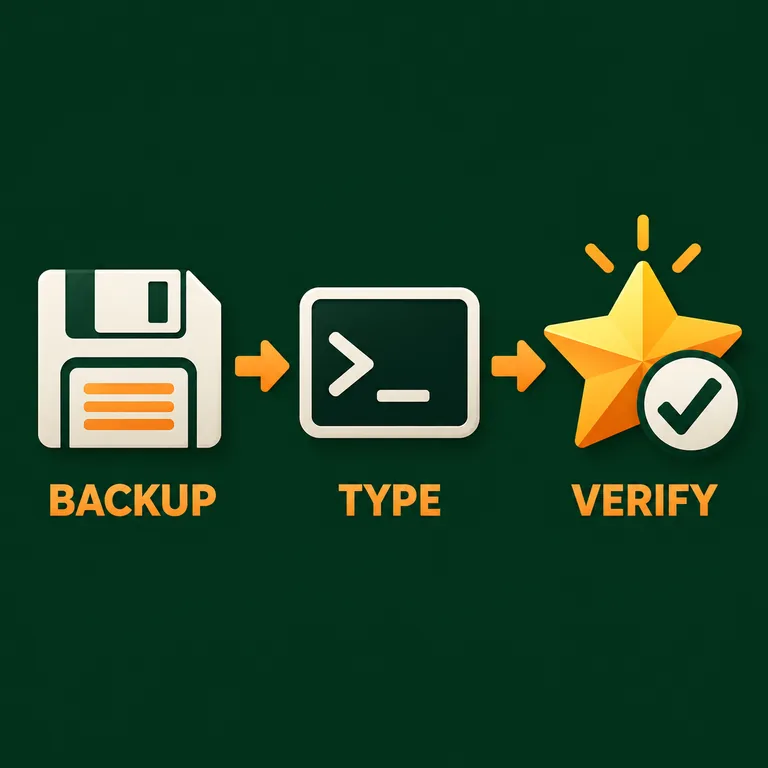
- 01
Make a copy and load Live Mode
Save the household, create a backup or test save, and load the household that should receive the points. Select the Sim before opening the console.
Quick answer: A copied save gives you a clean way to undo an unexpected reward or milestone change.
- 02
Open the console for the platform
On PC and Mac press Ctrl + Shift + C. On PlayStation press L1 + L2 + R1 + R2. On Xbox press LB + LT + RB + RT. Click the game window first if the bar does not appear.
Quick answer: The shortcut only opens the input bar; it does not add points by itself.
- 03
Enable testing cheats
Enter the setup line and press Enter before entering the points command.
testingcheats trueQuick answer: Keep explanatory text and quotation marks out of the console.
- 04
Add one test amount
Enter the amount command with a small value, submit it, close the console, and open the Rewards Store for the selected Sim.
sims.give_satisfaction_points 500Quick answer: If the balance changes, you can choose a larger amount in the same copied save.
- 05
Record the result before continuing
Check the points balance, the selected Sim, and the reward item you intend to buy. Only then decide whether a second command or a milestone change is actually needed.
Quick answer: One command and one verification keep the cause of a change visible.
Satisfaction points vs aspiration milestones
The phrase “aspiration cheat” can describe two different actions. Adding satisfaction points changes a currency used by the Rewards Store. Completing a current milestone changes the aspiration’s progression state. The two paths can appear next to each other in a guide, but they should not be treated as interchangeable shortcuts.
Use points when the goal is a reward trait, potion, or another store purchase. Use the aspiration interface when you want to play through a goal, and treat aspirations.complete_current_milestone as a community-reported command that deserves a backup save. It may advance the current milestone, but it does not explain which Sim was targeted if the wrong Sim was selected and it does not automatically make every future milestone complete.
The editorial diagram above shows the split deliberately: SPEND points in the Rewards Store, or COMPLETE a milestone when progression is the goal. Read the current aspiration entry on the site before changing a long-running household story, and keep the official EA news page nearby when a patch changes behavior.

Sims 4 satisfaction points cheat not working? Check these causes
A missing balance is usually a context or verification problem rather than proof that the command was removed. Work from the least invasive check to the most uncertain one. Enter one line, observe one panel, and write down the platform, patch, pack list, and mods if the result still differs.
Do not download a third-party command tool to “repair” a save. The site is an independent reference; official game news and a clean test save are better evidence than a copied snippet with no scope notes.
The console did not open
Click the game window and use the shortcut for the current platform. PC and Mac use Ctrl + Shift + C; PlayStation and Xbox use their four shoulder buttons. If the input bar stays hidden, follow the platform steps in the cheat activation guide.
Testing cheats was not enabled
Enter testingcheats true on its own line and press Enter. Then open the bar again for the points command. Do not paste both lines with explanatory punctuation around them.
The wrong Sim received the points
Close the console, select the intended Sim, and verify the Rewards Store while that Sim is active. Restore the backup if you changed an important household by mistake.
The balance looks unchanged
Open the Rewards Store for the selected Sim, not the household funds panel. Test 500 points, check the display, and confirm the game is in Live Mode. A large stack of commands makes this diagnosis harder.
A reward item is still locked
Points do not remove every age, pack, trait, or gameplay requirement. Check the item’s visible requirement and the installed pack before assuming the command failed.
A patch or mod changed the result
Test the same line in a copied save with script mods temporarily removed, then compare current EA Sims 4 news with the site maintenance notes. Record the exact command before trying a community variation.
You expected money or a completed aspiration
Use motherlode or sims.modify_funds for household money. Use the aspiration interface or the cautious milestone row for progression. Satisfaction points alone do not perform either of those separate actions.
Sims 4 satisfaction points cheat FAQ
What is the Sims 4 satisfaction points cheat?
Select a Sim in Live Mode, enter testingcheats true, then use sims.give_satisfaction_points 5000. Replace 5000 with the amount to add and check the Rewards Store for that Sim.
How do I give a Sim 5,000 satisfaction points?
Open the console after selecting the target Sim and enter testingcheats true first. Then enter sims.give_satisfaction_points 5000 on a separate line. The number is an amount to add, not a final balance.
Is a satisfaction points cheat the same as a reward points cheat?
Players use both phrases for the same general Rewards Store currency. This guide uses satisfaction points because it matches the command and keeps the term separate from household funds and aspiration progression.
Can I complete an aspiration with a cheat?
The community-reported aspirations.complete_current_milestone command is intended to advance the current milestone, but it is a progression edit rather than a points command. Back up the save, select the correct Sim, and verify one milestone before using it again.
Why did my Sims 4 satisfaction points cheat not work?
Check that the console opened, testingcheats true was submitted, the correct Sim was selected, the amount was on its own line, and you checked the Rewards Store rather than household funds. Test a small amount in a copied save before changing mods or commands.
Does the command work on PC, Mac, PlayStation, and Xbox?
The command text is entered through the platform cheat console. PC and Mac use Ctrl + Shift + C; PlayStation and Xbox use their four shoulder buttons. Console cheat use may affect trophies or achievements for the current save.
Can satisfaction points buy every reward?
No. A balance is only one condition. Reward items can depend on age, pack content, traits, or the game state. Read the visible item requirement after the points balance changes.
A short checklist before you return to the save
Back up the household, load Live Mode, select the target Sim, and open the platform console. Enter testingcheats true separately, add a small amount with sims.give_satisfaction_points, and verify the Rewards Store balance.
Use satisfaction points for Rewards Store spending. Treat aspirations.complete_current_milestone as a separate, community-reported progression edit and test it only when that is the actual goal.
If the command appears inert, check the selected Sim, the current panel, the platform shortcut, the exact spelling, and any mod or patch change before stacking another command.
Sources and scope
The command rows are maintained as an independent practical reference. EA’s official cheats and news pages are the boundary for platform and update context; community syntax can change and should be tested in a copied save. The site’s aspiration directory provides planning context but is not a replacement for the in-game Rewards Store.