Use aspirations.complete_current_milestone for the selected Sim’s active aspiration. Run testingcheats true first, complete one visible milestone at a time, and check the aspiration panel before entering another command. For a points balance, use the separate satisfaction-points guide; the two commands do not perform the same job.

Sims 4 aspiration cheat command table
The rows below are separate actions. Do not paste them as one script. The milestone command targets the selected Sim’s current aspiration stage. The points command is included only to make the boundary clear; the full points workflow belongs on the existing satisfaction-points guide.
Command syntax is shown as a copy-ready reference, but the game still decides whether the current save, installed pack, age group, and active aspiration can accept the change. Keep punctuation, underscores, and spaces exactly as shown. Replace a number only when the row tells you to do so.
| Goal | Command | Scope | What to check |
|---|---|---|---|
| Complete the active milestone | aspirations.complete_current_milestone | Selected Sim | The current aspiration stage should advance; inspect the panel before repeating. |
| Enable the testing layer | testingcheats true | Current save session | Submit this on its own line before the milestone command. |
| Add satisfaction points | sims.give_satisfaction_points 5000 | Selected Sim | This changes the points balance, not the active aspiration milestone. |
| Raise a skill needed by a goal | stats.set_skill_level major_charisma 10 | Selected Sim | Use the skill lane for the exact skill token; this does not complete a milestone by itself. |
What aspirations.complete_current_milestone changes
An aspiration is made of milestones, and each milestone contains a small set of tasks. When the command is accepted, the active milestone is the part to watch. The progress panel may move to the next stage, display a reward trait after the final stage, or refresh only after you close and reopen the panel. That visual delay is different from a rejected command, so verify the Sim and the current aspiration before trying a second line.
The command is not a universal “complete every aspiration” switch. It does not promise to finish a different aspiration in the same household, award every reward trait, unlock every pack objective, or rewrite a Sim’s career and skill history. If you want to plan around a different goal first, compare categories and reward traits in the site’s aspiration index, then return here to change one active milestone.
A milestone completion can make a story move quickly, but it can also skip the context that normally explains why a reward appeared. Record the old aspiration name and stage in your notes before running the command. If a household is part of a long-running challenge, a copied save gives you a clean comparison point and keeps the decision reversible.

Milestone completion is not the same as points
Searches for “Sims 4 aspiration points cheat” often mix two questions. Satisfaction points are a spendable balance used in the Rewards Store. An aspiration milestone is a progress stage with its own objectives and, at the end of a path, a reward trait. Adding points can help you buy a reward, but it does not tick off the current milestone. Completing a milestone can award progress or a trait without setting the points balance to a chosen number.
Use the satisfaction points cheat guide when the goal is to add, spend, or troubleshoot points. Keep this page as the command reference for the active milestone. Separating those intents prevents a common mistake: entering a valid points command and assuming the aspiration panel should advance.
A safe workflow for aspiration commands
The shortest reliable workflow is one target, one command, and one verification step. The console shortcut differs by platform, but the save and selection checks are the same. If you need the platform key combination, start with the site’s cheat activation guide before you troubleshoot an aspiration command.
The steps below also make a useful record for pack-specific aspirations. Write down the platform, installed pack, Sim age group, aspiration name, current milestone, and mod list when a result is inconsistent. Those details help you tell a syntax problem from a version or save-state problem.
Enable cheats on every platform
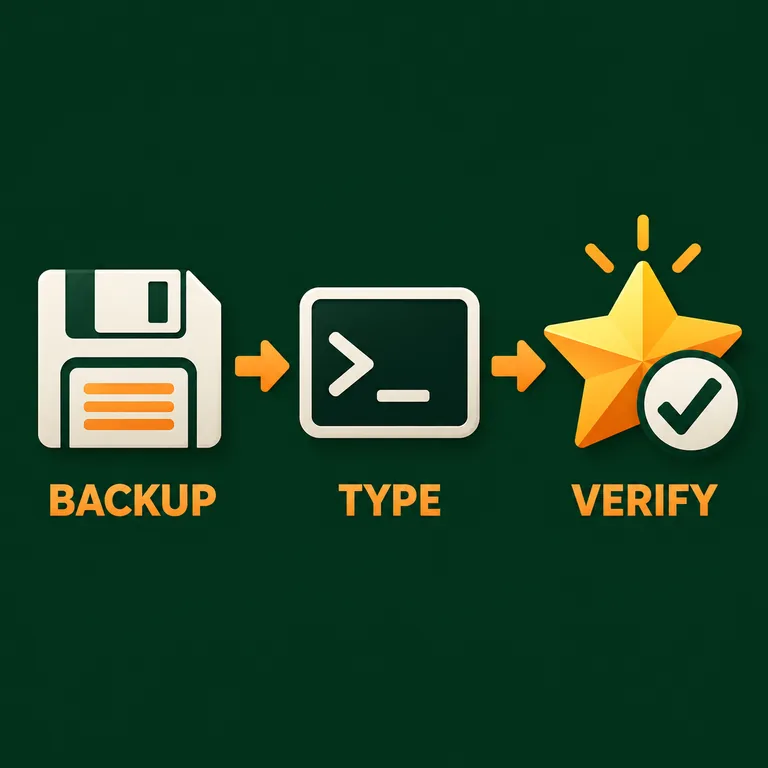
- 01
Save a copy and enter Live Mode
Save the household, create a backup slot, and load Live Mode with the intended Sim active. The main menu and Manage Worlds do not provide the same target context as an active household.
Quick answer: A backup is especially useful for a challenge, legacy, or pack-specific aspiration.
- 02
Select the Sim and inspect the panel
Click the Sim who owns the aspiration. Open the aspiration panel and note the exact goal and milestone shown before typing anything. The command follows the active Sim rather than a name you type into the console.
Quick answer: If the wrong Sim is selected, a successful command can still change the wrong story.
- 03
Enable cheats, then submit one milestone line
Open the console for your platform, enter testingcheats true, press Enter, then submit aspirations.complete_current_milestone on its own line. Avoid smart quotes, extra punctuation, or an explanatory sentence copied around the code.
testingcheats true aspirations.complete_current_milestone - 04
Close the console and verify the result
Close the console, reopen the aspiration panel, and check the milestone, reward text, and Sim selection. If the panel has not refreshed, wait a moment or switch panels before repeating the check.
Quick answer: Do not stack several milestone commands before you know which stage changed.
Sims 4 aspiration cheat not working? Check these causes
A command that appears to do nothing is usually a context, refresh, or boundary problem. Work through the list below in order. Repeating the line rapidly can skip the evidence you need to identify the cause, so change one variable at a time.
If a patch or mod changes cheat behavior, record the exact command, platform, pack, and save state before asking for help. Community references can document common syntax, while EA’s update guidance is the better place to check for current support and mod conflicts.
The console did not open
Click the game window first and use the shortcut for the current platform. If you need the PC, Mac, PlayStation, or Xbox sequence, follow the activation guide and then return to this page. A command typed into chat or a search box cannot change an aspiration.
The wrong Sim changed
The milestone command uses the selected Sim. Close the console, select the intended household member, reopen the aspiration panel, and confirm the name and goal before testing again. Restore the backup if the first attempt changed a story-critical Sim.
The milestone panel looks the same
Switch away from the aspiration panel and back, close the console, and check whether the current stage or reward text refreshed. If nothing changes, confirm testingcheats true was accepted and that you submitted the exact command on a separate line.
You expected every aspiration to finish
There is no verified universal one-line command in this guide that safely completes every aspiration and reward trait. Choose an active aspiration and complete one current milestone at a time; use the index to plan the next goal.
You used points when you needed progress
sims.give_satisfaction_points changes a spendable balance. It does not mark a milestone complete. Move to the satisfaction-points page for point issues, or return to the milestone row for aspiration progress.
A pack aspiration behaves differently
Check that the related pack is installed and available in the active save. Note the pack and Sim age group, test a copied save, and avoid presenting a community-reported result as an EA guarantee when the current game version has not been checked.
Sims 4 aspiration cheats FAQ
What is the Sims 4 aspiration cheat to complete a milestone?
Select the Sim with the active aspiration, enter testingcheats true, then run aspirations.complete_current_milestone. Verify the aspiration panel before repeating it. The command targets the current milestone, not every aspiration in the household.
Can I use a complete aspiration cheat to finish every goal?
Do not assume there is a verified universal command for every goal and reward trait. Use the current-milestone command one stage at a time and keep a backup save so you can check the result.
Is the Sims 4 aspiration points cheat the same command?
No. sims.give_satisfaction_points 5000 changes a selected Sim’s satisfaction-points balance. It is useful for Rewards Store purchases, but it does not mark an aspiration milestone complete. Use the separate satisfaction-points guide for that intent.
Why does the aspiration cheat work but the reward look missing?
Close the console, switch panels, and reopen the aspiration view. Confirm the active Sim and milestone, then check the reward text. A delayed interface refresh is possible, while a wrong selection or missing pack can produce a different result.
Can I complete a child or teen aspiration with the same cheat?
The command syntax is the same reference example, but the active aspiration, age group, pack, and current save still control what the game accepts. Test a copied save and record the age group if the panel does not advance.
Do aspiration cheats disable achievements?
Cheat behavior and achievement rules can vary by platform and save. Use a spare save when achievements or trophies matter, and check current platform guidance rather than treating a third-party command list as an official guarantee.
Summary
For a focused aspiration change, select the right Sim, enter testingcheats true, run aspirations.complete_current_milestone once, and verify the panel. Keep satisfaction points in their own workflow, keep the aspiration index as the planning reference, and use a copied save when a pack, mod, or challenge makes the result important.
The command is most useful when you understand its scope. It advances the active milestone; it does not replace the Rewards Store, rewrite every aspiration, or guarantee the same result across every patch. That boundary is what makes the guide safer to use than a pasted list without context.
Sources and scope
The command examples are maintained as an independent reference and should be tested in the current game version. EA’s update and mod guidance is the authority for current support context; the community command reference is useful comparative evidence but is not official EA documentation. The three visuals are editorial concept art reused from the site’s related points guide, not official game screenshots.